
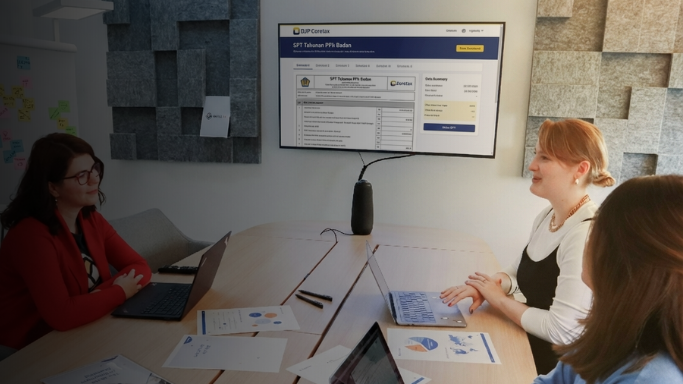
With the close of the 2025 fiscal year and the start of 2026, individual taxpayers are required to file annual income tax returns. This filing season is particularly significant, as starting from the 2025 fiscal year, all tax returns must be submitted through the Coretax system.
This article provides a step-by-step guide to completing the annual individual income tax return via Coretax, from initial preparation to final submission.
Filing Preparation
Before filing the annual individual income tax return, you must first download the Article 21 withholding tax slip issued by your employer. The steps are as follows:
Log in to the Coretax application using your 16-digit national identification number (nomor induk kependudukan/NIK) and the registered password.

From the “Portal Saya” (My Portal) menu, select “Dokumen Saya” (My Documents), then refresh the page to locate the withholding tax slip issued by your employer.

Click “Unduh” (Download) in the top-right corner of the relevant document.

Once downloaded, the withholding tax slip is ready for filing.

Creating a Tax Return
After downloading the withholding tax slip, you can proceed to create your annual tax return:
Select the "Surat Pemberitahuan (SPT)" (Tax Return) menu.

Click "Buat Konsep SPT" (Create SPT Draft) menu, and choose "PPh Orang Pribadi" (Individual Income Tax).

Under "Jenis Periode SPT" (Tax Return Period), select "SPT Tahunan" (Annual Tax Return). Then choose 2025 in the "Tahun Pajak" (Fiscal Year) field:

In the “Model SPT" (Tax Return Model) section, select “Normal”, then click “Create Tax Return”:

Completing the Main Form (Header and Taxpayer Identity)
In the Header and Taxpayer Identity section, taxpayers are required to:
- Specify the bookkeeping method. Employees should select record-keeping.
Indicate the source of income, such as employment, business activities, or freelance work.

Ensure that all taxpayer identity information is accurate and complete.

Completing the Main Form (Net Income Summary)
For employees who work for only one employer and have no other income, complete the “Ikhtisar Penghasilan Neto” (Net Income Summary) section with the following options:
- Do you receive domestic income from employment? Yes
- Do you receive domestic income from business and/or freelance activities? No
- Do you receive other domestic income? No
Do you receive foreign-sourced income? No

Calculation of Tax Payable
The tax calculation section is crucial as it determines whether tax is underpaid, overpaid, or fully settled. Employees with a single employer and no additional income may follow these steps:
- Confirm that the annual net income matches the amount stated in box 13 of the withholding tax slip.
- For deductions such as loss compensation, select "Tidak" (No).
- In the "Penghasilan Tidak Kena Pajak" (Non-Taxable Income) section, select the applicable status as of the beginning of 2025.
- In section number 8, select "Tidak" (No).
- Review the calculation to ensure the tax payable amount is correct.

Tax Credits and Underpaid or Overpaid Tax
This section records income tax already withheld or collected by third parties. The steps are as follows:
- For the question “Is there any income tax withheld/collected by third parties?”, select “Ya” (Yes).
- For the question regarding foreign tax credit refunds or reductions, select “Tidak” (No).
For the question “Is there an Approval Letter for Tax Installments or Deferred Tax Payment?”, select “Tidak” (No).

Amended Tax Returns, Tax Refund Requests, and Article 25 Installments
The amended tax return column will appear automatically if the return is classified as an amended tax return rather than a normal one, as shown below:

A tax refund request section will appear if the tax return results in an overpayment:

The Article 25 income tax installment section primarily applies to taxpayers such as freelancers. Employees generally are not required to complete this section. The following display will appear:

Other Transaction Statement
Complete this section according to actual conditions. For employees with no income other than salary, the typical responses are:
- Assets at year-end (fill in Appendix 1 Part A, then proceed to the next question) will be filled in automatically.
- Do you have outstanding debts at year-end? Answer "Ya" (Yes).
- Do you receive income subject to final income tax? Answer "Ya" (Yes).
- Do you receive non-taxable income? Answer "Ya" (Yes).
- Do you report fiscal depreciation and/or amortization? Answer "Tidak" (No).
- Do you report entertainment, promotion, benefits-in-kind, or bad-debt expenses? Answer "Tidak" (No).
- Do you receive foreign dividends or foreign income reported as non-taxable? Answer "Tidak" (No).

These are the complete procedures for filing the 2026 annual individual income tax return via Coretax. By following these steps, you can simplify your annual tax return filing process.
If you need further assistance with filing your Annual Tax Return (SPT) via Coretax, consult with Ideatax now.
Ideatax partners have over 20 years of experience in the taxation field, enabling them to provide comprehensive solutions. For more information, please visit the following page:
https://ideatax.id/our-service/annual-tax-return-reporting-service-for-corporations-and-individuals
Also Read:
https://ideatax.id/articles/a-simple-guide-coretax-for-expatriates
https://ideatax.id/articles/the-chart-of-accounts-for-coretax-reporting
